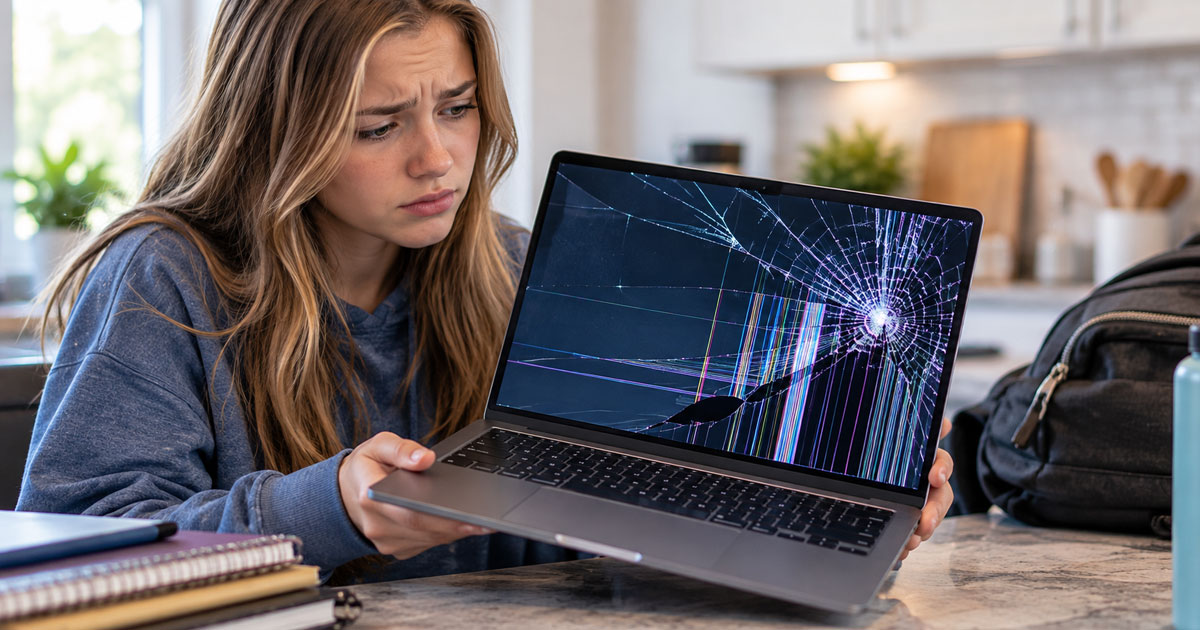
It goes like this. The laptop goes in the backpack. The textbook goes in after it, the heavy one, maybe with a water bottle for company. The backpack gets dropped on a chair, or a car seat, or the floor by the door. And there’s a sound. Not loud. Just a small, flat crunch that you’ll remember for a while.
You open the lid and there it is: a spiderweb in one corner, or a black blot that spreads like spilled ink, or colored lines running top to bottom. Maybe the laptop still works and you can see half the screen. Maybe it’s all dark.
The very next thought is the right question: do I fix this, or is it time for a new laptop? There isn’t one answer for everyone, but there is an honest way to think it through.
Quick answer: A cracked laptop screen can usually be repaired by replacing the display panel, and that’s often the sensible choice when the rest of the laptop is in good shape and still gets security updates. Replacing the laptop makes more sense when it’s old, has other problems like a failing battery or drive, or the repair would cost close to a comparable new machine. Either way, your files are stored on the drive, not the screen, so a crack doesn’t mean your data is gone.
Can a cracked laptop screen be repaired?
Yes, in most cases. A cracked laptop screen is usually fixed by replacing the display panel itself, not by patching the glass. On many laptops the screen is a separate part that can be swapped while everything else stays the same: same files, same programs, same keyboard you’ve worn in.
Some designs make that harder. On certain thin laptops and two-in-ones, the glass, touch layer and display are bonded together, or the screen comes as a whole lid assembly. That doesn’t make repair impossible, but it can change the cost and the decision.
How do I decide whether to repair or replace my laptop?
Look at the whole laptop, not just the screen. Three questions do most of the work.
How old is it, and does it still get updates?
A laptop that’s still current and supported is usually worth a new screen. One that no longer receives security updates for its operating system is a harder sell, because you’d be putting new parts into a machine that’s already on borrowed time.
Does it have other problems?
Be honest with yourself here. A battery that barely lasts, a hinge that wobbles, a drive that’s slow or making noise, keys that stick. One issue is a repair. Three or four issues at once is usually the laptop telling you something.
What’s on it, and is it backed up?
If the laptop holds files you can’t replace and there’s no backup, that changes the order of operations. Getting the data safe comes first, whatever you decide about the screen.
Here’s a rough way to put it together:
| Your situation | Usually makes sense |
|---|---|
| Fairly new laptop, otherwise working well | Repair the screen |
| Older but still supported, no other issues, does what you need | Repair is often worth it; get a quote first |
| Older, slow, tired battery, other problems | Consider replacing; rescue your files first |
| No longer gets security updates | Replacement is usually the better use of money |
| Liquid damage or dropped hard, not just cracked | Get a diagnosis before deciding |
A good shop will tell you when a repair isn’t worth it. If the screen would cost close to what a comparable new laptop costs, you deserve to hear that before any work begins.
What should I do right after my laptop screen cracks?
Protect the screen from further damage and protect your files. In that order:
- Stop pressing on it. Don’t poke at the crack or test it with your finger. Pressure spreads the damage.
- Close and open the lid gently, and avoid flexing the screen. A cracked panel can get worse every time the lid bends.
- Back up anything important while you can still see enough to do it.
- Try an external monitor. If the screen is mostly or completely dark, plug in a TV or monitor. If the picture shows up there, the laptop itself is running and the problem is just the display.
- Put tape over sharp edges if glass is actually broken, so nobody gets cut.
Is it a cracked screen or something else?
Not every bad picture is a broken screen. A display that flickers when you move the lid, shows colored stripes that come and go, or stays dark while the laptop clearly runs can sometimes be a loose connection or a cable problem rather than the panel itself.
And if the laptop shows no signs of life at all, no lights, no fan, no sound, the screen may not be the issue. Our guide on what to do when your computer won’t turn on walks through how to tell the difference.
Will I lose my files if my laptop screen breaks?
Almost certainly not from the crack alone. Your files live on the laptop’s drive, not in the screen. Replacing a display doesn’t touch your data.
Where things get riskier is when the laptop was dropped hard enough to damage more than the screen, or when you decide to retire the laptop and need to move everything to a new one. In both cases, the files can usually be copied off the drive even if you never use that laptop again.
Where can I get a cracked laptop screen fixed near Boston?
Systems Analysis Services is a family-run repair shop at 335 Auburn Street in Newton, and we’ve been fixing computers for homes, students and businesses across Greater Boston since 1978. Our laptop screen repair service starts with a look at the whole machine, so you get an honest repair-or-replace answer and the cost before any work begins. If there’s more going on than the screen, our laptop repair team handles batteries, hinges, keyboards and ports, and our data recovery service can move your files if you decide to replace the laptop instead. The full list of what we fix is on our computer repair page.
Call 617-965-4615, Monday to Friday 9am to 5pm, or send us a message describing what the screen looks like.
Frequently Asked Questions
Is it worth fixing a cracked laptop screen?
It usually is when the rest of the laptop works well and still gets security updates. If the laptop is old, has other problems, or the repair would cost close to a comparable new machine, replacing it often makes more sense.
Can I keep using a laptop with a cracked screen?
Sometimes, for a while, but cracks tend to spread with pressure and lid movement. Back up your files, avoid flexing the screen, and use an external monitor if the display is hard to read until you decide on a repair.
Does a cracked screen mean my laptop is damaged inside?
Not necessarily. Often only the display panel is damaged. But a hard drop can affect other parts, so if the laptop behaves oddly beyond the screen, have the whole machine checked before paying for a new display.
Will replacing my laptop screen erase my files?
No. Your files are stored on the laptop’s drive, not the screen, and a screen replacement doesn’t involve your data. It’s still wise to keep a current backup of anything important.
Need a hand with this? Systems Analysis Services in Newton, MA can help.
Call 617-965-4615 or send us a message.