
Think about the car you drove in college. Maybe it had a lot of miles on it and ran fine for years. Maybe a newer one sat in the shop every other month. Anyone who has owned a few cars learns the same lesson: the odometer tells you something, but the warning lights tell you more.
Servers work the same way. We’ve seen servers that have been in service for a long time doing their job quietly in a well-ventilated closet, and newer ones that were already in trouble because they lived next to a space heater. When a business owner asks us, “Is my server too old?”, the honest answer starts with, “Let’s look at the dashboard.”
Here’s how to read it yourself, and when it makes sense to bring in a second opinion.
Quick answer: How long a server lasts depends less on its age than on its condition, its workload and whether the manufacturer and software vendors still support it. Many businesses plan a refresh every several years, but the real signals are failing drives or fans, missing firmware and security updates, an operating system near end of support, and performance that can’t keep up. When those show up, it’s time to weigh repairing, replacing or moving some workloads to the cloud.
How long do servers last, really?
Longer than the vendor would like and shorter than the owner would like. You’ll commonly hear refresh cycles described in terms of several years, and that’s a reasonable planning assumption. It isn’t a deadline.
What actually determines a server’s useful life is a mix of factors:
- Environment. Heat, dust and unstable power wear out components faster than age alone.
- Workload. A file server for a ten-person office ages differently than a database server running a busy line-of-business application.
- Support status. Hardware with no manufacturer coverage and no firmware updates is a different risk than hardware that’s simply old.
- Software requirements. The day your accounting package or practice management system stops supporting your server’s operating system, the hardware’s age stops mattering.
What are the warning signs that a server is failing?
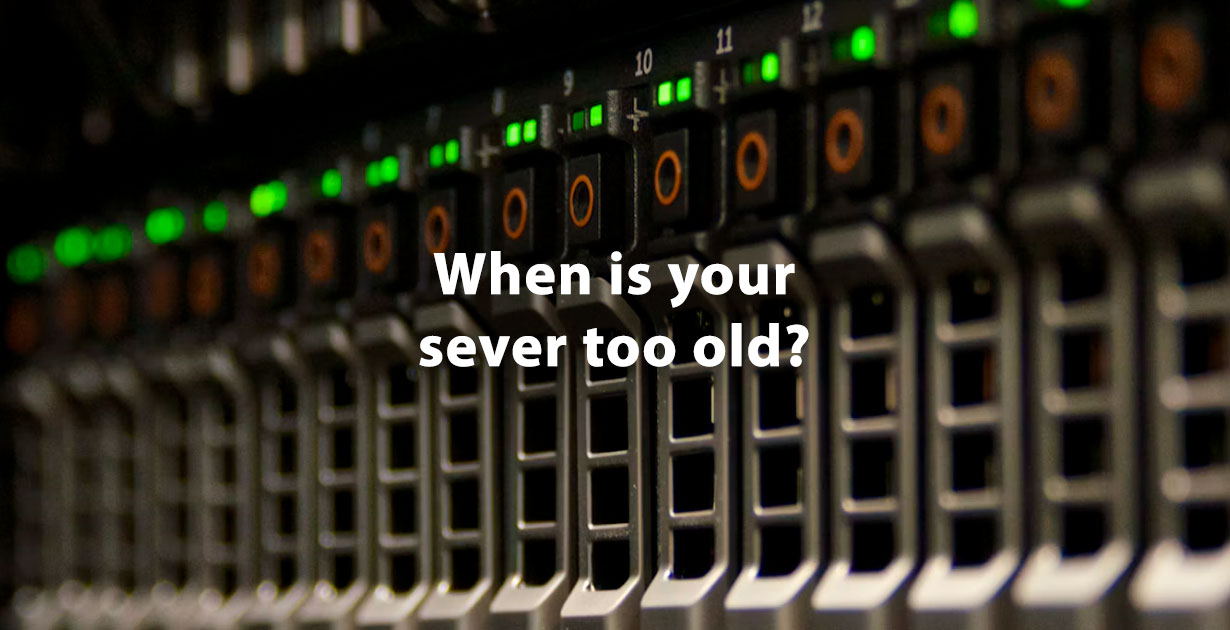
The clearest warning signs are hardware alerts, slowing performance and errors that keep coming back. Some are literal warning lights. Most servers from HPE and other major manufacturers have status lights on the front and a management interface that logs problems long before anyone notices a slowdown.
Watch for these:
- Amber or red status lights, or alerts from the server’s management controller
- A drive in the RAID array marked degraded or predicted to fail
- Fans running loud all the time, or temperature warnings
- Unexpected restarts or blue screens
- Backups that take longer every month or start failing outright
- Staff complaining that “the system” is slow at the same times every day
- Storage that is almost full and can’t easily be expanded
One amber light isn’t a reason to buy a new server. A failed drive in a healthy array is routine maintenance. Several of these at once, on hardware that’s out of support, is a different conversation.
What does end of support actually mean for a server?
End of support means the manufacturer or software vendor stops providing fixes, and that’s usually a bigger deal than the hardware’s age. It comes in a few layers:
- Hardware support. When the manufacturer’s coverage and parts availability wind down, a failed component can turn into a hunt for used parts.
- Firmware updates. Server firmware gets security fixes too. Hardware that no longer receives them can carry known vulnerabilities nobody will patch.
- Operating system support. When Microsoft ends support for a Windows Server version, as it did for Windows Server 2012, security updates stop. Running an unsupported OS is one of the more common gaps we see in security reviews.
- Application support. Your software vendor may stop supporting older operating systems or database versions before Microsoft does.
For Massachusetts businesses that hold personal information, unsupported systems also make it harder to show the reasonable technical safeguards 201 CMR 17.00 expects.
Should you repair, refresh or move to the cloud?
It depends on what’s wrong and what the server does. Here’s how we usually frame the choice:
| Option | Makes sense when | Watch out for |
|---|---|---|
| Repair | The hardware is still supported, the problem is a single component, and the server still meets your needs | Repeated repairs on aging hardware, or parts that are getting hard to find |
| Refresh | Support is ending, performance is falling behind, or several warning signs are showing at once | Rushing the migration; a planned move is far smoother than an emergency one |
| Hybrid or cloud | Some workloads, like email or file sharing, fit cloud services well, while others need to stay on-site | Ongoing subscription costs, internet dependency, and applications that don’t run well remotely |
Plenty of small businesses end up with a mix: a smaller, newer on-site server for the applications that need it and cloud services for the rest. There’s no prize for putting everything in one place.
What can you check yourself before calling anyone?
You can learn a lot in a short walk to the server closet and a look at a few records. Try this:
- Look at the front of the server for any amber or red lights and note what they’re next to.
- Find the model and serial number, and check the manufacturer’s support site for coverage status.
- Note which Windows Server version, or other operating system, it’s running and look up its support status.
- Check that last night’s backup completed, and ask when someone last tested a restore.
- Feel the room. If the closet is hot, that’s a problem no matter how new the server is.
If everything comes back green, supported and backed up, you may not need us at all right now. Put a reminder on the calendar and check again later. If you find a few surprises, that’s the time to get help planning.
How we can help
Systems Analysis Services has supported business infrastructure from our Newton office since 1978, and we build and support environments using HPE and IBM technology. Our server maintenance service covers the routine work that keeps healthy servers healthy, including firmware and OS updates, monitoring and asset and lifecycle tracking. When the warning lights add up, our hardware refresh planning helps you replace aging equipment on a schedule instead of during an outage, and our hybrid cloud work helps decide which workloads belong on-site and which belong in Azure, AWS or a private cloud. The full lineup lives on our servers and infrastructure hub.
For the bigger picture on what old equipment really costs, read our post on the hidden cost of outdated hardware. Then call 617-965-4615 or send us a message, and we can look at your server with you and tell you honestly whether it has more road left in it, anywhere in Greater Boston.
Frequently Asked Questions
How long do servers usually last?
There’s no fixed number. Many businesses plan to refresh servers every several years, but condition, workload, environment and whether the hardware and operating system are still supported matter more than age alone.
Is it safe to keep running a server after its manufacturer support ends?
It can run, but risk goes up. Parts get harder to find, firmware security fixes stop, and a single failure can mean extended downtime. If you keep one in service, make sure backups are solid and tested and have a replacement plan ready.
What happens when Windows Server reaches end of support?
Microsoft stops releasing security updates for that version. The server keeps working, but new vulnerabilities go unpatched, and software vendors often stop supporting their applications on it.
Should a small business move its server to the cloud instead of replacing it?
Sometimes. Email, file sharing and many common applications fit cloud services well, while some line-of-business software and large data sets work better on-site. Many small businesses end up with a hybrid of both.
Can a failing drive be replaced without replacing the whole server?
Usually, yes. In a server with a properly configured RAID array, a single failed drive can often be swapped and rebuilt while the server keeps running. The bigger question is whether the rest of the hardware is still supported and healthy.
Need a hand with this? Systems Analysis Services in Newton, MA can help.
Call 617-965-4615 or send us a message.

