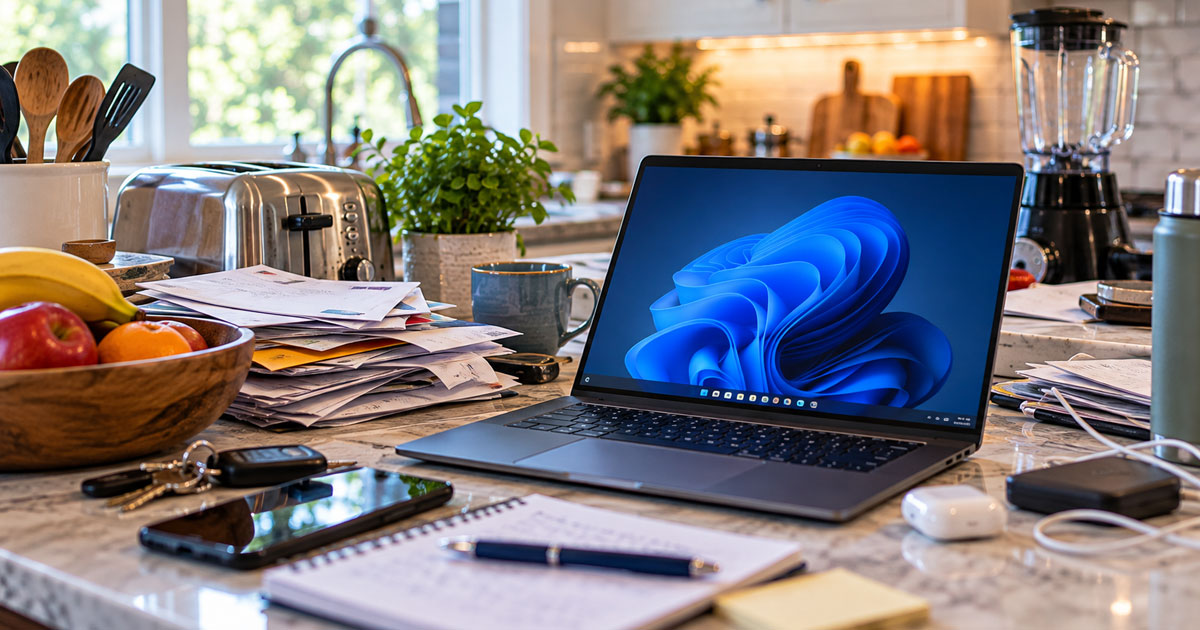
Picture a kitchen counter on the day you move in. It’s clean. You can roll out dough on it. Then a toaster shows up, and the mail, and a fruit bowl, a phone charger, a stack of school forms, a blender you used once. Nobody decided to ruin the counter. It just filled up, one reasonable thing at a time, until there’s a single square foot left to actually work on.
Most slow computers got that way exactly like that counter. Every program you install wants a little spot that’s always occupied. Every update adds something. The browser collects extensions like refrigerator magnets. And somewhere underneath it all, the hardware that felt quick years ago is now being asked to carry a much heavier version of Windows than the one it shipped with.
Then there’s the other version of the story, the one we hear some form of every week: “It was fine until it wasn’t.” A laptop that’s been loyal for the better part of a decade suddenly takes forever to start and freezes when you open email. That kind of slowdown usually has a different cause, and it’s worth telling the two apart.
Quick answer: A computer is usually slow for one of a few reasons: too many programs running in the background, a nearly full or aging hard drive, too little memory for what you’re asking it to do, pending or stuck updates, or malware. A gradual slowdown is usually clutter; a sudden one usually means something changed or a part is starting to fail. Start with a full restart, let updates finish, and trim startup programs. If it’s still slow, a technician can tell you whether a cleanup, an SSD or more memory, or a replacement makes the most sense.
Why is my computer so slow all of a sudden?
A sudden slowdown almost always means something changed. Before you blame age, think back to what happened right before it started.
- A big Windows update that’s half-installed and keeps retrying in the background.
- A new program, especially one that came bundled with something else you downloaded.
- A failing hard drive. Drives that are wearing out often slow down before they fail outright, sometimes with freezing, clicking, or long pauses when you open files.
- Malware using your computer’s resources for someone else’s purposes. Our guide to the signs your computer has a virus covers what to watch for.
That failing-drive possibility is the one to take seriously. If your computer is suddenly slow and you don’t have a recent backup of your files, back them up before you do anything else.
Why does my computer get slower over time?
Gradual slowness is the kitchen counter problem. Nothing is broken; there’s just too much stuff on the work surface.
- Startup programs. Printer utilities, cloud sync tools, game launchers, updaters for software you rarely use. Each one loads every time you turn the computer on and keeps running quietly.
- Browser clutter. Dozens of open tabs and a pile of extensions can make a perfectly healthy computer feel sluggish.
- A drive that’s nearly full. Windows needs breathing room to work. When the drive is packed, everything gets slower.
- Heavier software. Windows, browsers and office programs all ask more of the hardware than they did when your computer was new. The machine didn’t get slower so much as the work got heavier.
What can I do to speed up my computer myself?
Quite a bit, and none of it requires opening the case. Work through these in order:
- Do a real restart. Closing the lid or pressing sleep isn’t the same thing. Use Restart from the Start menu, which clears out a lot of accumulated junk.
- Let updates finish. Check Windows Update and let anything pending install completely, including any restart it asks for.
- Trim startup programs. In Windows, open Task Manager (Ctrl + Shift + Esc), go to the Startup apps tab, and disable things you don’t need the moment you sign in. If you don’t recognize something, leave it alone and look it up first.
- Uninstall what you don’t use. Settings, then Apps. Old trial software and toolbars are fair game.
- Clean up your browser. Remove extensions you didn’t knowingly install and close tabs you’ve been keeping “for later” since spring.
- Make room on the drive. Empty the Downloads folder of things you’ve already used, and move old photos and videos to an external drive or cloud storage.
If the computer feels noticeably better after this, you’ve found your answer, and you may not need us at all.
Will more memory or an SSD make an old computer faster?
Often, yes, if the hardware is the real bottleneck. This is where the “fine until it wasn’t” laptop usually ends up.
Many older computers still use a traditional spinning hard drive. Swapping it for a solid-state drive (SSD) is typically the single upgrade that makes the biggest difference to startup and how quickly programs open. Adding memory (RAM) helps if you tend to keep many programs or browser tabs open at once.
The honest caveat: not every computer can be upgraded, and some are old enough that the money is better put toward a replacement. A machine that no longer gets security updates, or that needs both a new drive and new memory plus a new battery, may be past the point where an upgrade is good value. We wrote more about that trade-off in the hidden cost of outdated hardware.
How do I know if it’s time for a new computer?
It’s probably time when the cost and hassle of keeping it going start to outweigh what it does for you. A few signs point that way:
- It no longer receives security updates for its operating system.
- It’s slow even after a cleanup, and it can’t be upgraded.
- It has several problems at once: slow, a tired battery, a sticky hinge, a failing drive.
- The software you need for work or school simply won’t run on it well.
If it’s only one of those, it’s usually worth a diagnosis before you shop.
When should I call a pro about a slow computer?
Call when you’ve done the basics above and it’s still crawling, when the slowdown came on suddenly, or when you suspect malware. Slowness is a symptom, not a diagnosis, and guessing can cost you money on the wrong fix.
At Systems Analysis Services in Newton, we’ve been fixing computers for homes and businesses around Greater Boston since 1978. Our slow computer tune-up starts by finding the actual cause, then we tell you plainly whether a cleanup, an upgrade, or a replacement makes the most sense. If malware turns out to be the culprit, our virus and malware removal service handles that. You can see everything else we fix on our computer repair page.
Call 617-965-4615, Monday to Friday 9am to 5pm, or send us a message. You’ll reach a real technician, not a call center.
Frequently Asked Questions
Why is my computer so slow when nothing is open?
Programs you don’t see can still be running. Startup apps, sync tools, pending updates and sometimes malware all work in the background. Open Task Manager to see what’s using the processor, memory and disk, and restart the computer to clear out anything that’s stuck.
Does a full hard drive slow down a computer?
Yes. Windows needs spare room for temporary files and updates, and a nearly full drive makes everything sluggish. Clearing out old downloads and moving large photo or video collections to an external drive often helps.
Is it worth fixing a slow computer or should I buy a new one?
It depends on the computer’s age, its condition, and what’s causing the slowdown. Many slow computers improve with a cleanup or an upgrade such as an SSD or more memory. If it no longer gets security updates or has several problems at once, replacing it may make more sense.
Can a virus make my computer slow?
Yes. Malware often runs quietly in the background and uses your computer’s resources. If the slowdown came with pop-ups, a new homepage or programs you didn’t install, have it checked for malware before spending money on upgrades.
Need a hand with this? Systems Analysis Services in Newton, MA can help.
Call 617-965-4615 or send us a message.